
插入图片
阅读
2026-05-11更新
最新编辑:glamcurrent
阅读:
更新日期:2026-05-11
最新编辑:glamcurrent
基础方法
最简单的插入图片的方法是加入下面的命令到页面中:
[[File:文件名]] 或是 [[文件:文件名]]
例如:
[[File:Air-control-cover.jpg]]
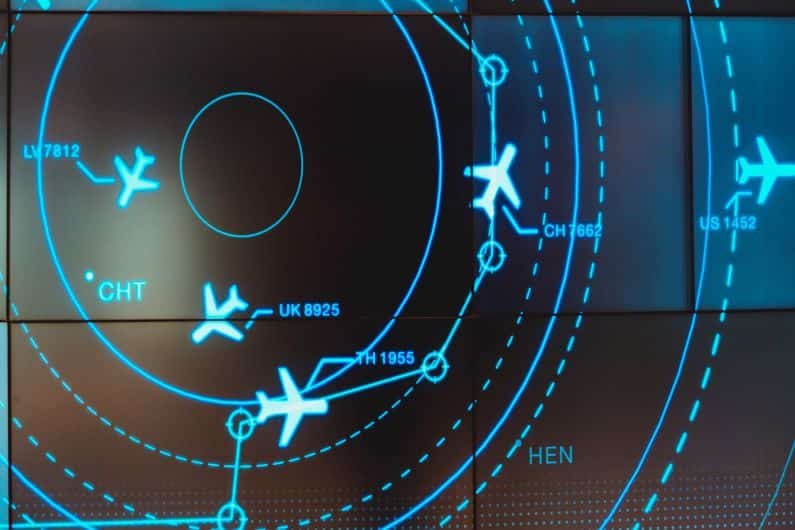

[[文件:Air-control-cover.jpg]]
你可以直接访问本页面的编辑页面来查看源代码
插入图片的完整语法
[[File:文件|可选项|标题]]
示例:
[[File:background.jpg|border|200px|right|sub]]
上面的实例中演示了除链接以外的常用可选项的设置,可选项可以完全留空,它们会按照默认值来进行排版和显示,在设置可选项时,直接填写可选项的参数便可自动识别对应的可选项类型,如果关键字都不符合下面可选项对应的参数,那么则被wiki系统视为标题内容。
可选项用于调整图片的显示模式和排版相关的设置等,各个设置间用管道符号(|)隔开。所有可用的选项如下列出:
| 常用设置 | ||||||||||
|---|---|---|---|---|---|---|---|---|---|---|
| (显示)格式 | boarder | 图片大小 | {宽度}px | 水平对齐 | left | 垂直对齐 | baseline | 链接 | link=https://xxx | 外链 |
| frameless | x{高度}px | right | sub | link=xxxx | 内链 | |||||
| frame/framed | {宽度}x{高度}px | center | super | |||||||
| thumb/thumbnail | upright | none | top | |||||||
| text-top | ||||||||||
| middle | ||||||||||
| bottom | ||||||||||
| text-bottom | ||||||||||
| 其他可用项(灰色部分不适用bwiki) | |
|---|---|
| 替代文本 | alt={替代文本} |
| 类(html属性class) | class={类名} |
| 页码 | page={页数} |
| 视频某时间点缩略图 | tumbtime={数字(秒数)} |
| 视频起始时间 | start={数字(秒数)} |
| 循环 | loop |
图片排版的基本概念
图片的显示格式都与下面三个排版状态有关,“浮动”(float)、“嵌入”(render inline)、“标题”(caption)。一般可以认为浮动和嵌入状态是互斥状态。具体介绍如下
嵌入
参考下面的效果,下面的效果演示了在不同的显示格式下,在文字间插入“插入图片”指令所展示的效果,第一个插入的示例没有指定指示显示格式(浮动:否,嵌入:是)。
嵌入状态可以理解为:将图片如单个字符一样插入文章内部。
这是在编辑模式下输入的内容:
During World War II, General George C. Kenney commanded the air forces in the Southwest Pacific Theater under General Douglas MacArthur.[[file:Comm1.png]] Facing the challenge of distance and poor communications, General Kenney implemented a novel command structure by establishing air task forces capable of independent operations. Air task forces were built around a core command, usually a bomber wing, complete with a permanent operational planning staff. They were complemented by a rotation of supporting Army Air Force, Navy, and Marine air units. General Kenney exercised centralized control by assigning units, missions, and areas of responsibility to the air task forces, but let task force commanders handle the detailed operational planning. He empowered his air commanders to the lowest practical level. He picked competent combat commanders whom he trusted and turned them loose under his general guidance. He issued periodic mission-type orders to these commanders and only tasked them for detailed special missions by exception. General Kenney’s innovative employment of air task forces as well as the philosophy and methods used in doing so show the historical precedent for mission command in air operations and serves as a model for doing so in the future.
下面是显示效果
During World War II, General George C. Kenney commanded the air forces in the Southwest Pacific Theater under General Douglas MacArthur.Facing the challenge of distance and poor communications, General Kenney implemented a novel command structure by establishing air task forces capable of independent operations. Air task forces were built around a core command, usually a bomber wing, complete with a permanent operational planning staff. They were complemented by a rotation of supporting Army Air Force, Navy, and Marine air units. General Kenney exercised centralized control by assigning units, missions, and areas of responsibility to the air task forces, but let task force commanders handle the detailed operational planning. He empowered his air commanders to the lowest practical level. He picked competent combat commanders whom he trusted and turned them loose under his general guidance. He issued periodic mission-type orders to these commanders and only tasked them for detailed special missions by exception. General Kenney’s innovative employment of air task forces as well as the philosophy and methods used in doing so show the historical precedent for mission command in air operations and serves as a model for doing so in the future.
浮动
下面的示例演示了浮动概念(浮动:是,嵌入:否),观察下面的显示效果,与上面类似,插入图片的指令也位于文章内部,但是渲染的时候,当文字靠近显示的文字时,会自动换行,直到新行最右侧/左侧不再接触到图片,而不是像嵌入模式那样只会存在单次换行且可以显示在文章内容的任意位置(浮动只能在最左侧或者是最右侧。
这是在编辑模式下输入的内容:
During World War II, General George C. Kenney commanded the air forces in the Southwest Pacific Theater under General Douglas MacArthur.[[file:Comm1.png|frame]] Facing the challenge of distance and poor communications, General Kenney implemented a novel command structure by establishing air task forces capable of independent operations. Air task forces were built around a core command, usually a bomber wing, complete with a permanent operational planning staff. They were complemented by a rotation of supporting Army Air Force, Navy, and Marine air units. General Kenney exercised centralized control by assigning units, missions, and areas of responsibility to the air task forces, but let task force commanders handle the detailed operational planning. He empowered his air commanders to the lowest practical level. He picked competent combat commanders whom he trusted and turned them loose under his general guidance. He issued periodic mission-type orders to these commanders and only tasked them for detailed special missions by exception. General Kenney’s innovative employment of air task forces as well as the philosophy and methods used in doing so show the historical precedent for mission command in air operations and serves as a model for doing so in the future.
下面是显示效果
During World War II, General George C. Kenney commanded the air forces in the Southwest Pacific Theater under General Douglas MacArthur.
Facing the challenge of distance and poor communications, General Kenney implemented a novel command structure by establishing air task forces capable of independent operations. Air task forces were built around a core command, usually a bomber wing, complete with a permanent operational planning staff. They were complemented by a rotation of supporting Army Air Force, Navy, and Marine air units. General Kenney exercised centralized control by assigning units, missions, and areas of responsibility to the air task forces, but let task force commanders handle the detailed operational planning. He empowered his air commanders to the lowest practical level. He picked competent combat commanders whom he trusted and turned them loose under his general guidance. He issued periodic mission-type orders to these commanders and only tasked them for detailed special missions by exception. General Kenney’s innovative employment of air task forces as well as the philosophy and methods used in doing so show the historical precedent for mission command in air operations and serves as a model for doing so in the future.
显示格式
| 显示格式 | 简介 | 示例代码 | 示例效果 |
|---|---|---|---|
| 不指定 | 无其他效果 浮动:否 嵌入:是 显示标题:否 |
高度图[[文件:ALTchart.png|25px]]有两种显示方式可供选择:线性和对数。两者都提供相同的结果,但高度图显示比例彼此不同。 | 高度图 有两种显示方式可供选择:线性和对数。两者都提供相同的结果,但高度图显示比例彼此不同。 有两种显示方式可供选择:线性和对数。两者都提供相同的结果,但高度图显示比例彼此不同。
|
| border | 图片的四边会有极细的灰色轮廓线包围 浮动:否 嵌入:是 显示标题:否 |
[[文件:预置图片入口1.jpg |broder]] 此图标用于设置任务的天气状况,一般来说在TE中此要素在作者制作前已经完成设置。 |  此图标用于设置任务的天气状况,一般来说在TE中此要素在作者制作前已经完成设置。 此图标用于设置任务的天气状况,一般来说在TE中此要素在作者制作前已经完成设置。
|
| frameless | 与thumbnail相似,尊重用户对于图像宽度的偏好,但没有边框且不向右浮动。 浮动:否 嵌入:是 显示标题:否 |
[[文件:TE TEAM.png|frameless|100px|]]你只需点击列表中你想进行的任务名,之后此任务名将变成绿色,在UI的右侧将显示任务的具体细节。 |  你只需点击列表中你想进行的任务名,之后此任务名将变成绿色,在UI的右侧将显示任务的具体细节。 你只需点击列表中你想进行的任务名,之后此任务名将变成绿色,在UI的右侧将显示任务的具体细节。
|
| frameless 加 border | 加了细灰色边线的frameless 浮动:否 嵌入:是 显示标题:否 |
[[文件:TE TEAM.png|frameless|border|100px|]你只需点击列表中你想进行的任务名, | 你只需点击列表中你想进行的任务名,
|
| frame | 浮动:是 嵌入:否 显示标题:是 |
[[文件:INTEL界面.png|frame|这是标题示例]]对于无可用空中掩护可用的小队(single ship,2-4 ships)来说,选择合适的路线来避免被敌机拦截和被对空预警雷达发现极其重要,同时也应考虑指定一个从己方空域到达目标最短的路线,例子如下图所示: |  这是标题示例 |
| thumb 或 thumbnail | 浮动:是 嵌入:否 显示标题:是 |
[[文件:INTEL界面.png|thumb|这是标题示例]]对于无可用空中掩护可用的小队(single ship,2-4 ships)来说,选择合适的路线来避免被敌机拦截和被对空预警雷达发现极其重要,同时也应考虑指定一个从己方空域到达目标最短的路线,例子如下图所示: | 对于无可用空中掩护可用的小队(single ship,2-4 ships)来说,选择合适的路线来避免被敌机拦截和被对空预警雷达发现极其重要,同时也应考虑指定一个从己方空域到达目标最短的路线,例子如下图所示: |
缩放
缩放功能与图片的显示格式高度相关,对缩放有特殊影响的显示模式包括三个模式:“thumb/frameless”(只能缩小,无法超出原本大小放大)、“frame”(忽略缩放参数,如果图片超出用户偏好大小,则会缩小)

 沪公网安备 31011002002714 号